Free and open source for macOS
Every link opens in the right browser.
LinkRouter becomes your default browser and sorts every link for you. Your rules send GitHub to Chrome and work tools to your work profile, without asking. Only when no rule fits does a small picker pop up, and you press 1, 2 or 3.
- 1 · CleanNothing to remove
- 2 · ProfilesNo match
- 3 · RulesGitHub → Chrome
- Opens inGoogle Chrome · Work
How it works
Five checks, top to bottom. The first one that decides wins.
Every link from every app takes the same path. It happens before the browser window appears.
-
1
Clean the link
Redirect wrappers from Google, Outlook SafeLinks, Slack, Facebook and LinkedIn get unwrapped to the real address. Then
utm_*tags and click IDs likefbclidandgclidcome off.example.com/post?utm_source=mail&fbclid=IwAR2x
example.com/post
-
2
Holding a modifier?
Hold Shift, Control, Option or Command as the link arrives and LinkRouter skips everything below and shows the picker.
⇧⌃⌥⌘→Picker
-
3
Profiles
A profile is a list of sites that always open in one browser. Put
gitlab.comin Work and every GitLab link, subdomains included, opens in your work Chrome.Work Google Chrome · Work
-
4
Rules
Rules can look at the web address, the app the link came from, which browsers are running, the time of day, and whether it's a local HTML file. Combine them with any, all or none.
Sent from Mail→ Safari
Weekdays, 09:00 to 17:00→ Chrome · Work
Address contains
youtube→ Firefox -
5
Everything else
The last rule is locked in place and catches whatever is left. Out of the box, it shows the picker.
No match→Picker
The picker
Pick a browser without touching the mouse.
It opens next to your pointer with the browsers you've set up, Chrome and Firefox profiles included. Try this one. Click it, then use your keyboard.
- 1 to 9
- Open in that browser
- ← →
- Move the selection
- return
- Open the selected one
- ⇧ return
- Open it and keep the picker up
- ⌘ C
- Copy the link instead
- esc
- Close without opening
More than six browsers? Start typing to filter. Right-click a browser to always open that site there. Set the picker to close itself after 15, 30 or 60 seconds, and it opens your favourite when time runs out.
en.wikipedia.org/wiki/Geirangerfjord
Click the picker, then press 1, 2 or 3.
Settings
One window to set it all up.
These are real screenshots. A setup guide walks you through the first four steps when you open the app.
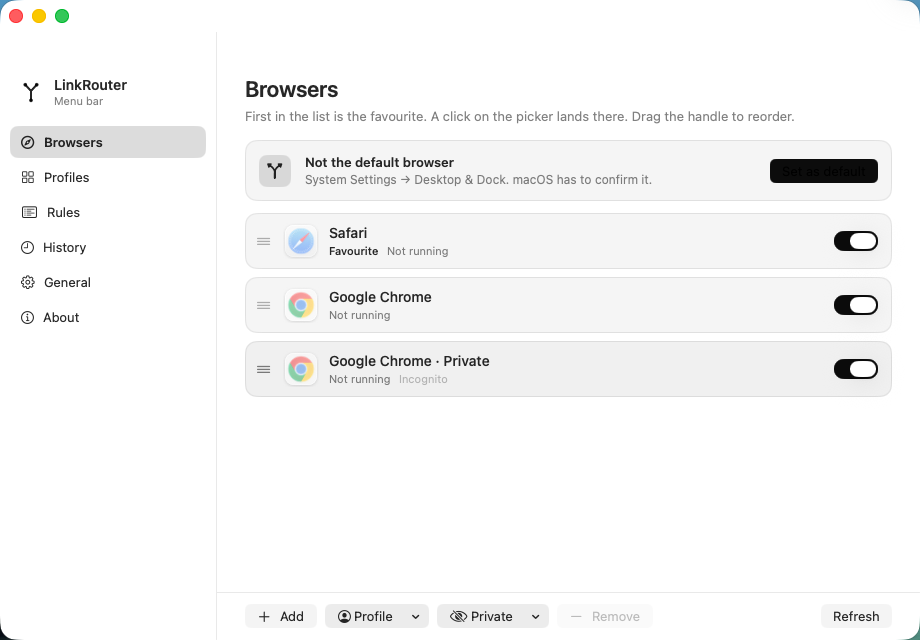
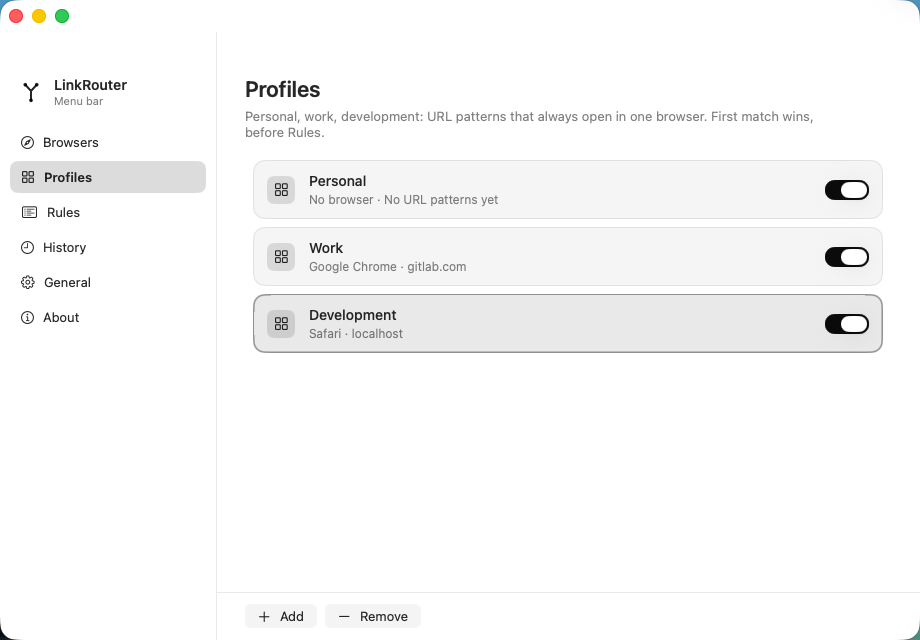
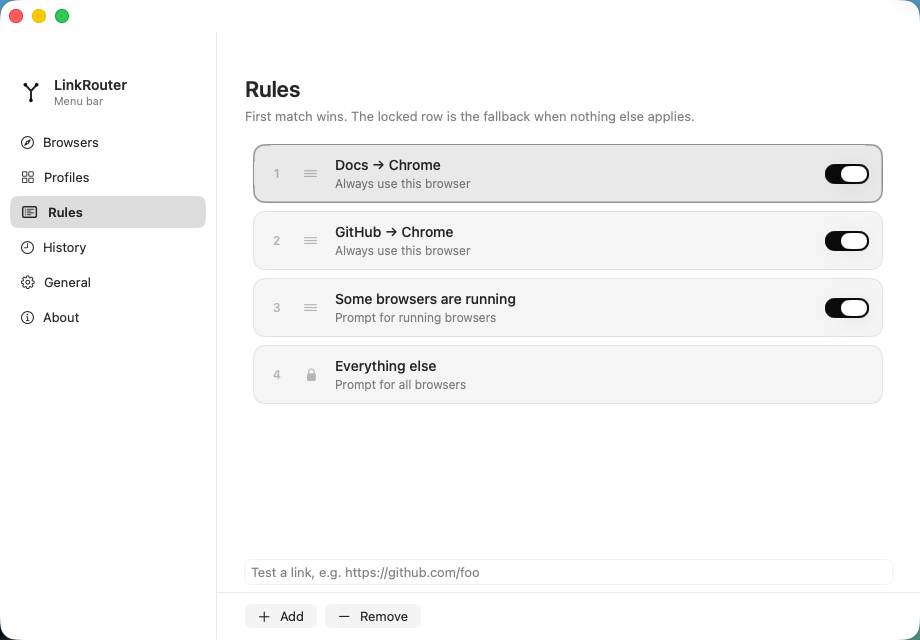
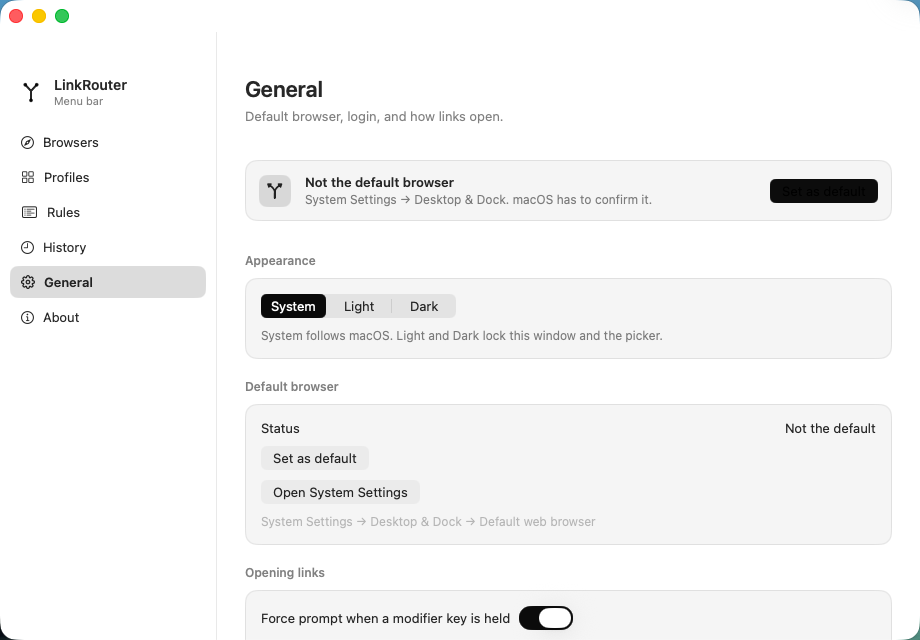
Also in the box
The small stuff.
- Private windows
- Chrome Incognito and Firefox private windows show up as their own picker entries.
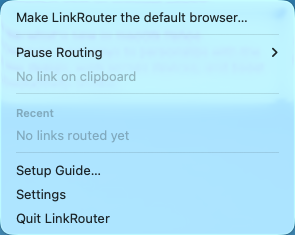
- Pause routing
- From the menu bar. While paused, links go straight to your favourite.
- History
- See where your recent links went, search them, and copy one back out.
- Shortcuts
- Two actions for the Shortcuts app: Open Link with LinkRouter, and Open Link in a Browser.
- Import and export
- Your browsers, profiles, rules and settings in one file. History stays out of it.
- Light and dark
- Follows macOS, or lock the window and picker to one look.
- Updates itself
- Checks GitHub for new versions and installs them when you say yes.
- No account
- No sign-up and no analytics. Your rules stay in a file on your Mac.
Get LinkRouter.
Free, for macOS 14 Sonoma and later. One download runs on both Apple silicon and Intel Macs.
- 1
Open the DMG and drag LinkRouter into Applications.
- 2
Open it. The setup guide asks to make it your default browser, and macOS asks you to confirm.
- 3
Add rules for the sites you open most. Everything else gets the picker.
MIT licensed. Read every line.
LinkRouter is a native SwiftUI app, and the full source is on GitHub. File an issue, send a pull request, or build it yourself with Xcode 16.